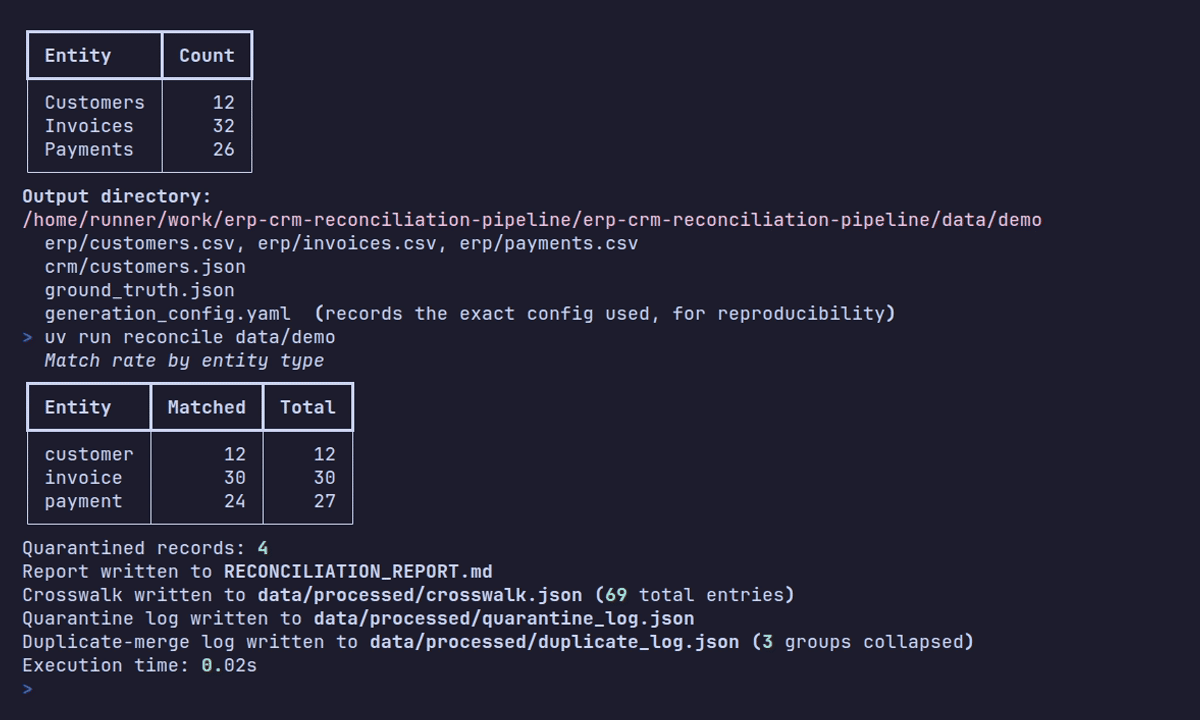
This is Lesson 1 of the ERP and CRM reconciliation pipeline series, adapted from the published documentation for the erp-crm-reconciliation-pipeline repository.
What you’ll build
A reconciliation pipeline is only as good as the messy data it’s tested against, and real ERP and CRM systems almost never agree on field names, ID formats, or even which records exist. In this tutorial, you use the datagen CLI to generate a synthetic dataset that reproduces that divergence on purpose: an ERP-style flat CSV export and a CRM-style nested JSON export, both projections of the same seeded, internal “ground truth” entities. You also generate the ground_truth.json answer key that later lessons use to score a reconciliation pipeline’s matches.
Before you begin
You need:
- Python 3.12 or later.
- uv.
- A local clone of erp-crm-reconciliation-pipeline with dependencies installed.
From the repository root, install dependencies:
uv syncSee it work
Generate a dataset with a fixed seed:
uv run datagen generate --seed 42 --customers 200 --with-ground-truth --output-dir dataThis writes:
data/
  erp/customers.csv
  erp/invoices.csv
  erp/payments.csv
  crm/customers.json
  ground_truth.json        # only with --with-ground-truth
  generation_config.yaml   # the exact config used, for reproducibility and audit
On commit 54c0e15, the command prints this summary:
Dataset generated

Entity      Count
Customers     200
Invoices      613
Payments      438
Those are canonical entity counts before each exporter independently adds duplicates, missing values, and other messiness. After export, the ERP and CRM row counts differ. You inspect those differences in Lesson 4 instead of assuming the generation summary is a count of physical rows.
Delete data/ and run the identical command again. The regenerated files are byte-identical to the first run, because every source of randomness, including internal correlation UUIDs, derives from a single master seed.
How dataset generation works
datagen builds a dataset in four stages, and each stage owns one concern:
- Canonical entities.
GenerationConfig(a Pydantic model, round-trippable to YAML) drives Faker- and mimesis-based generators that produce canonicalCanonicalCustomer,CanonicalInvoice, andCanonicalPaymentrecords. These are the internal ground truth every export is a projection of. - Structural discrepancies. While generating invoices and payments, the generators decide, once, which records exist in only one system and which payments legitimately differ in amount between systems. This decision needs knowledge of both systems at once, so it happens before either export is written.
- Cosmetic messiness. A separate
messinesspackage then applies independently seeded corruption, bad date formats, missing values, mojibake encoding issues, and duplicate rows, per export. The ERP and CRM copies of the same row diverge realistically instead of matching each other’s corruption exactly. - Export. System-specific exporters project the same canonical entities into a flat,
UPPER_SNAKE_CASECSV export for ERP and a nested, camelCase JSON export for CRM.
All of this randomness derives from a single master seed, spread across independent, reproducible streams with numpy.random.SeedSequence.spawn. That’s why the same --seed always reproduces the same dataset, down to the byte.
Generate your first dataset
-
From the repository root, run:
uv run datagen generate --seed 42 --customers 200 --with-ground-truth --output-dir data -
Inspect the output tree and confirm all five paths exist:
data/erp/customers.csv,data/erp/invoices.csv,data/erp/payments.csv,data/crm/customers.json, anddata/ground_truth.json. -
Open
data/generation_config.yaml. It records the exact, fully resolved configuration used for this run, so you (or a teammate) can regenerate an identical dataset later without remembering every flag.
Inspect the committed worked example
The repository already includes a small, committed dataset you can inspect without running anything: examples/sample_dataset, eight customers generated with --seed 1. It was created with:
uv run datagen generate --seed 1 --customers 8 --with-ground-truth --output-dir examples/sample_datasetBecause it’s small, it’s a good place to open erp/customers.csv and crm/customers.json side by side and read actual field values before Lesson 2 covers the field mapping in detail.
The committed fixture contains these physical records:
| Export | Customers | Invoices | Payments |
|---|---|---|---|
| ERP CSV | 8 | 19 | 17 |
| CRM JSON | 8 | 19 | 16 |
| Combined | 16 | 38 | 33 |
That gives you 87 input records, not three perfectly aligned tables. The unequal payment counts are deliberate, and the later pipeline must preserve those one-sided records as orphans rather than discard them.
For one concrete row, the first ERP customer is:
C000001,Dennis Boone,dennis.boone@gmail.com,217-977-6317x066,391 Johnson Burg Apt. 636,New Jeffreymouth,New York,72965,Djibouti,2025-03-04The CRM export stores the same person under CUST-000001 in nested JSON. Lesson 2 traces that pair without relying on the similar-looking sequence number.
Print and inspect the resolved configuration
Every datagen generate flag is an override layered on top of --config (if given) or on top of the built-in defaults otherwise. Print the fully resolved configuration without generating anything:
uv run datagen show-configThis prints a complete GenerationConfig as YAML: the master seed, customer count, invoice range, payment coverage, and every messiness ratio. Redirect it to a file and you have a starting point for a custom configuration, which Lesson 3 builds on.
Verify your work
- Confirm
data/erp/,data/crm/,data/ground_truth.json, anddata/generation_config.yamlall exist after runningdatagen generate --with-ground-truth. - Delete
data/and rerun the same command. Confirm the new files match the previous run byte for byte, for example withCompare-Object (Get-FileHash data/erp/customers.csv) (Get-FileHash data/erp/customers.csv.bak)after saving a copy, or a simplediffin Bash. - Run
uv run datagen show-configand confirm it prints YAML to the terminal without writing todata/.
Troubleshooting
| Symptom | Resolution |
|---|---|
command not found: uv | Install uv from docs.astral.sh/uv, then run uv sync from the repository root. |
ground_truth.json is missing from the output directory | Add --with-ground-truth; it’s off by default. |
Two runs with the same --seed produce different files | Check that no other flag, or a --config file, changed between runs. |
uv sync fails to reach PyPI | If your network requires a mirror, copy uv.toml.example to uv.toml and point it at your mirror; see the repository’s local development network note. |
Next steps
The next lesson compares the ERP and CRM exports you just generated field by field, and reads the ground_truth.json answer key that records which records are supposed to match. Continue with Compare ERP and CRM field mappings and the ground truth answer key.
For the full flag reference, read the CLI reference in the published documentation.